Engineering Gym — An AI That Designs, Inspects & Iterates on Real CAD
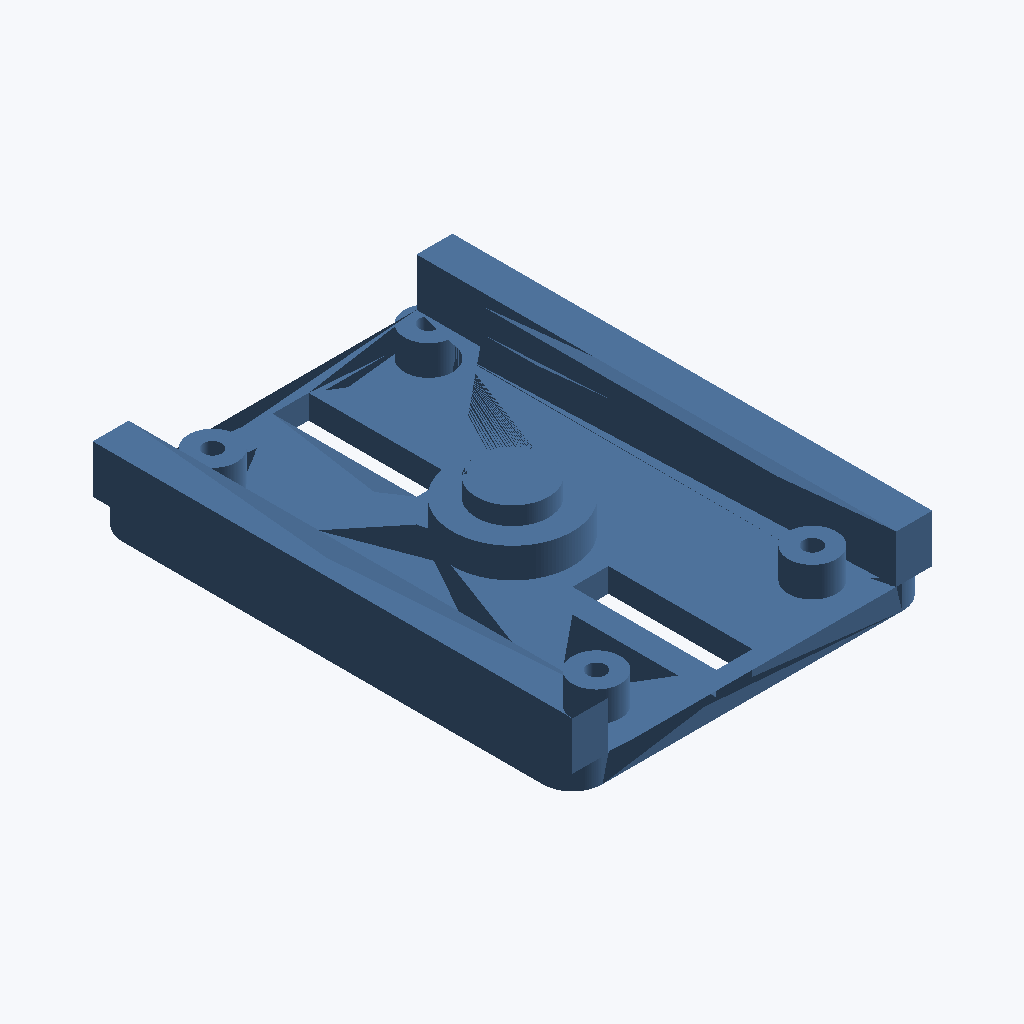
Image AI generated by Heisun Kim, HSEC
What is the Engineering Gym?
The Engineering Gym is an early iteration of an open source high-fidelity training environment for autonomous engineering agents. Instead of asking an LLM to describe a part, the Gym gives it a real engineering loop:
- Read a natural-language requirement (e.g. “an 80×60 mm base plate with filleted corners, a stepped boss, two slots…”).
- Generate CadQuery Python code that builds the geometry.
- Execute the code → produce an STL mesh.
- Inspect the rendered result with a vision model (front / iso / right / top views).
- Critique — the inspector flags what’s wrong (missing features, interference, degenerate geometry).
- Iterate — the designer rewrites the code, informed by the critique, until the geometry converges.
The whole loop is config-gated and taxonomy-preserving: self-repair is opt-in, bounded, and only applies to LLM-generated code (never to user-provided snippets). The agent works at its own speed; you get a notification when it’s stuck or done.
This post shows two live runs from the current build (Gemma-4 26B via OpenRouter, population of 3, up to 5 iterations).
Run 1 — UGV Mounting Bracket (fidelity 0.899)
Requirement: A UGV mounting bracket: an 80×60×4 mm base plate with rounded corners (5 mm fillet on the vertical edges) and two raised side rails (~6 mm wide, 12 mm tall) along the long edges. In the centre is a stepped cylindrical boss: a 10 mm radius, 5 mm tall base cylinder topped by a smaller 6 mm radius, 3 mm tall cap. Two rectangular slots (24×6 mm) are cut through the base plate, centred at x=±25. Four small corner bosses (4 mm radius, 5 mm tall) sit near the corners; each has a 3 mm diameter hole drilled straight through.
The loop ran 5 iterations (~31 min) and converged to a final design with:
| Metric | Value |
|---|---|
| Fidelity (geometric match to reference) | 0.899 |
| Substance (non-degenerate) | 1.0 |
| Blended fitness score | 0.580 |
The fitness trajectory climbed from 0.569 → 0.580 over five iterations — the loop found a good design early and refined it rather than thrashing.

Final design, isometric view. The stepped boss, side rails, slots, and holed corner bosses are all present.


Timelapse: iteration 1, isometric view — the design evolving across the population.
Run 2 — Fitting A/B: Does Showing the Model a Picture Help?
The second experiment asks a sharper question. We give the agent a context part (a set of bosses) and ask it to design an adapter that mates with them — no interference, full enclosure of the boss features. We run two arms:
- Text-only — the designer receives mm coordinates of the context geometry.
- Visual — the designer also sees a rendered isometric image of the context part.
Both arms use the same model, same population size, same iteration budget. The only difference is whether a picture is in the prompt.
Results (hard variant, n=1/arm)
| Arm | Final score | Fidelity | Enclosure | Interference |
|---|---|---|---|---|
| Text-only | 0.780 | 0.759 | 0.778 | 0.036 |
| Visual | 0.596 | 0.219 | 0.360 | 0.105 |
Text-only won this run. With the corrected enclosure metric (which measures whether a feature’s side wall is actually wrapped, not just proximity), the text-only designer derived an adapter that genuinely encloses the bosses and collides minimally. The visual arm only half-wrapped them and produced more interference.
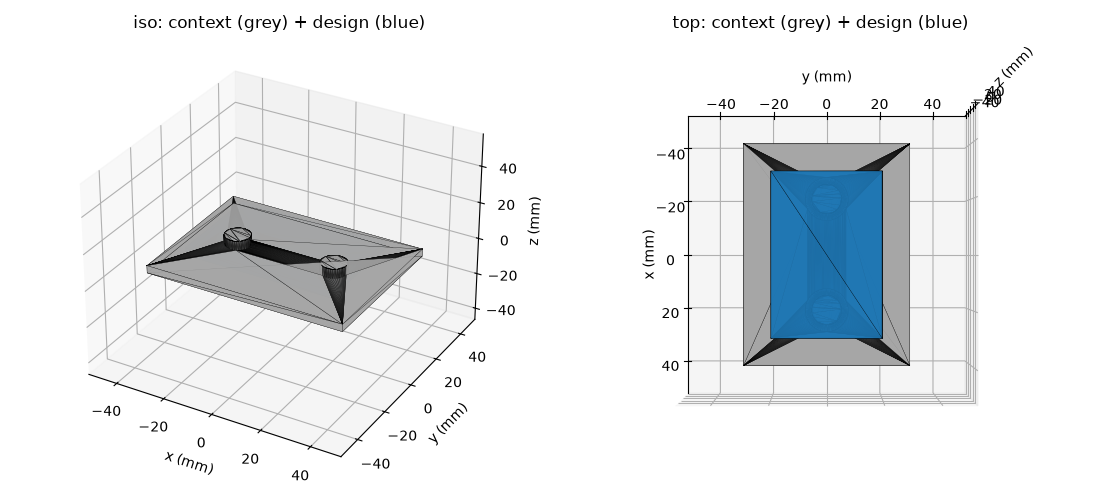
Text-only: the adapter (right) wraps the context bosses with low interference.
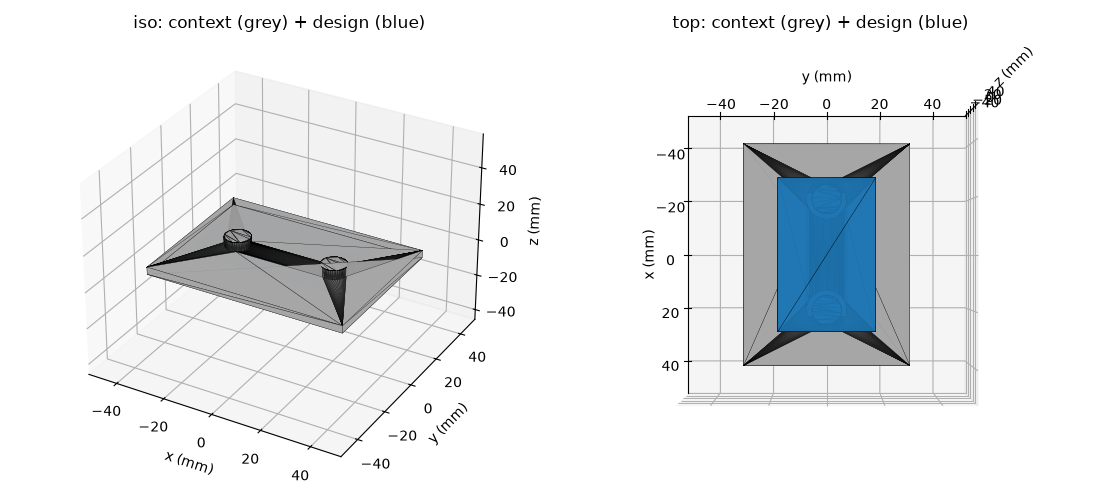
Visual: the adapter (right) only partially encloses the bosses and collides more.
This is a negative result for the vision hypothesis — and we’re publishing it as such. With n=1 per arm and a stochastic LLM, this is a signal, not a conclusion. But it does tell us something useful: the binding constraint on fitting quality is the selection metric and the inspector, not whether the model can see a picture. The text-only arm had enough geometric information in coordinates; adding a render didn’t help it select better.
The next lever is making enclosure a stronger term in the fitness function and getting a more trustworthy inspector, so that the enclosing design is both selected and accepted.
What We Improved Along the Way
Three software changes landed in this build:
measure_enclosure— a corrected fit metric. The old version scored “proximity to the feature” as enclosure, so a flat plate sitting on top of a boss scored high. The new version measures whether the feature’s side wall is actually wrapped by surrounding geometry. It’s now a first-class fitness signal.- Loop elitism — the population loop now keeps its all-time best candidate and re-injects it each iteration. A run can no longer end worse than its peak (pre-fix runs regressed from 0.56 → 0.42). Verified in the wild: both fitting arms’ finals are their peaks.
- Geometry-backed starter task — the battery now seeds a real fitting task (context + reference STLs), so new agents start from actual geometry rather than an empty scene.